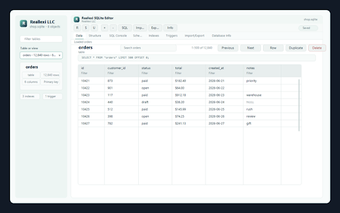
Reallexi SQLite Editor brings visual SQLite management to Chrome
Reallexi SQLite Editor, from Reallexi LLC, is a Chrome extension that provides visual SQLite database management inside the browser for quick inspections and edits. The tool combines a table browser with an integrated SQL console to open, view, edit, and run queries against .db and .sqlite files within Chrome. It supports multiple SQLite file extensions, direct row editing, and import/export of query results. Developers, analysts, and students benefit from in-browser access without launching a separate desktop client.
What tasks does the editor address for developers and analysts?
The extension targets routine database work by letting users visually inspect schema and modify records without a separate desktop app. The editor presents table layouts, allows direct row-level edits, and exposes an SQL console for custom statements. It supports common SQLite formats such as .sqlite, .sqlite3, .db, .db3, .sdb, and .sl3, and it can export query results to enable sharing or backups.
How does it behave when used inside a browser environment?
The extension runs as a lightweight Chrome add-on and is described as production-ready for in-browser workflows, so it is suitable for quick checks and small edits during development. Operations occur client-side, which keeps database files local to the machine. The design prioritizes fast, focused sessions rather than long-running database administration tasks that typically use dedicated desktop tools.
What does the tool do about local data and privacy?
The editor operates on local files and typically runs client-side, a model that limits data leaving your device during normal use. That means database contents remain under the user's control while editing and querying. The extension is not positioned as a cloud sync or remote-server manager, so users who need synchronized or hosted database workflows should plan for a separate solution.
How well does it fit into existing developer workflows and editors?
The extension is available for Chromium-based browsers and also offered as an extension for Visual Studio Code, which helps it sit inside both browser and editor workflows. Import and export functions let users move query results into other tools, and the visual approach reduces context switching for developers who prefer to work inside their browser or IDE during routine maintenance and debugging tasks.
A practical in-browser tool for routine SQLite tasks, with clear scope
The editor is a practical choice for developers, analysts, and students who need immediate, local access to SQLite files within their existing browser or editor workflow, since it focuses on quick inspections and edits. Users who regularly perform large-scale migrations or require hosted synchronization should pair this tool with a dedicated desktop or server-based database solution to cover that gap.